Guide
A moodboard Claude can read.
Put your references on a Scopeful board, write beside each image what it is for, and connect Claude. Claude then reads the board: the notes, the image names, their saved descriptions and where everything sits. With Can edit, it can add notes too.
What you end up with
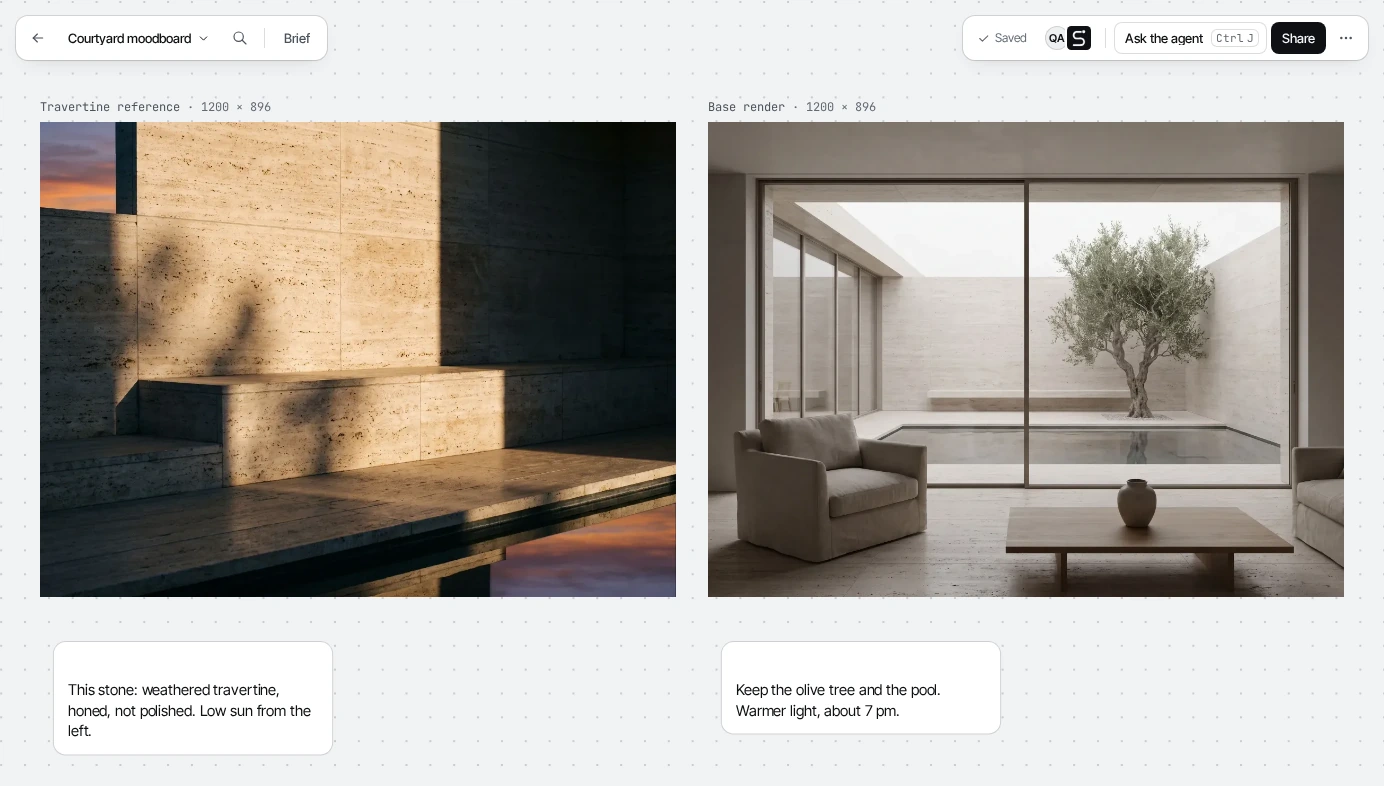
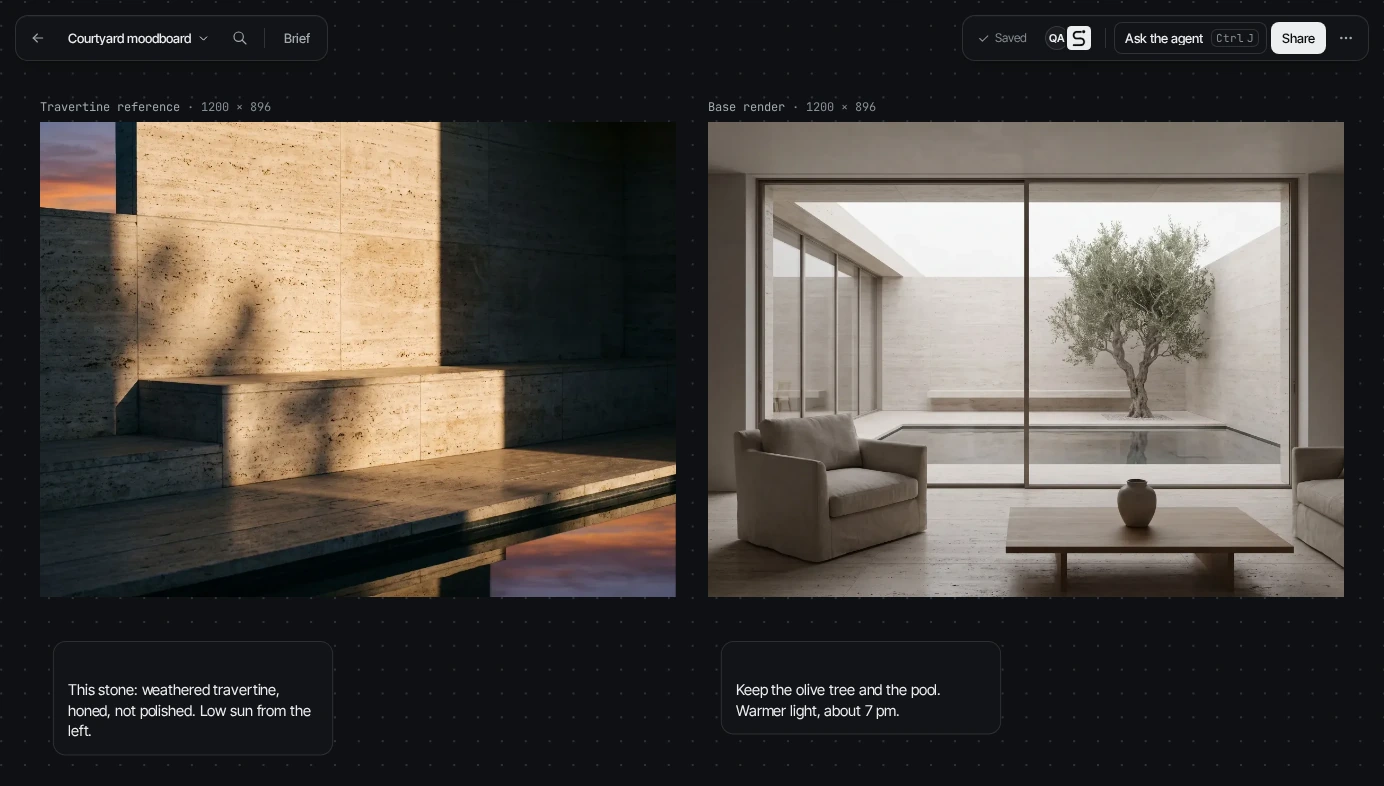
01Steps
Five steps.
Make a board
In Scopeful, click New board and type its name: the board opens with its name ready to write. To change it later, double click the name at the top left. Claude finds the board by this name.
Add your references and write a note beside each
Drop images on the board, or click Add images. An image is named after its file, so name the files for what they are, such as “Base render” or “Travertine reference”.
Then pick Note in the toolbar (or press N), click beside an image and write what it is for. The empty board puts it this way: what to keep, what to change. Claude reads the note’s words, so write in it what matters in the picture.
Describe each image
Select an image and click Details. Write a Description (up to 1,000 characters) and up to 12 Tags, then Save. This is the saved description Claude reads. Claude does not get the picture itself from Scopeful’s tools, so the description is how it knows what the image shows.
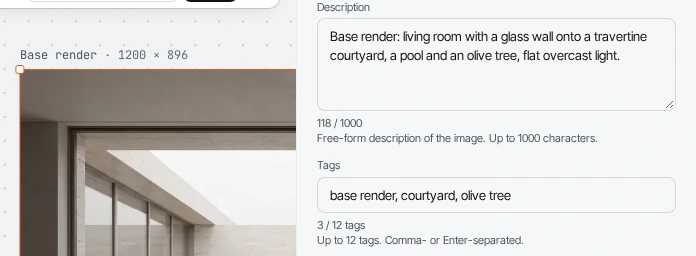
Details for the base render: its description and tags, which an app reads with get_board. Connect Claude
For claude.ai and the Claude desktop app. These steps are Claude’s own, from its documentation.
In Claude, go to Customize > Connectors.
Click + Add, then Add custom connector.
Name it Scopeful, enter this as the MCP server URL, and click Continue.
Server URLhttps://app.scopeful.org/api/mcpKeep the settings Claude marks Detected. If none are marked, choose Sign in now under Authentication and Use Claude's published identity under OAuth client. Then click Add.
If Scopeful shows Connect, click it. Scopeful opens: sign in and choose what Claude can do.
In a chat, click + and select Connectors to turn Scopeful on or off.
- On a Team or Enterprise plan an Owner adds it first under Organization settings > Connectors (Add, then Custom, then Web); each member then opens Customize > Connectors and clicks Connect.
- On Claude's Free plan you can add one custom connector.
- For an image on your computer, ask Claude for a Scopeful upload link: you drop the file on that page, and Claude sees it.
From Claude’s documentation, read 10 November 2026: Add a connector that isn't in the directory, Get started with custom connectors using remote MCP, Authentication for connectors. Steps for ChatGPT, Cursor, VS Code and Claude Code
Choose what Claude can do
When Scopeful opens, sign in and choose. Can view is chosen unless you pick Can edit.
Can view is enough for Claude to read the board. Can edit lets it add notes and arrange things. It cannot start paid generation, publish a board or change who a board is shared with.
It stays connected until you disconnect it on the Agents page, or after 90 days without use.
Connect Claude to Scopeful
ClaudeWhat it can do
Can viewRead your boards and what is on them, your saved images and prompts, and your generation history.Can editAlso save images and prompts, create boards, and add, change or remove things on a board. Saving an image from a link uses 1 credit.It cannot start paid generation, publish a board or change who a board is shared with. It stays connected until you disconnect it on your Agents page, or after 90 days without use.
The page Scopeful opens when an app signs in, with its own words. Can view is chosen until you pick Can edit.
02First ask
What to ask Claude first.
Turn Scopeful on in the chat (click +, then Connectors) and ask in plain words. These are things to type, not answers: what Claude replies depends on your board.
- AskList my Scopeful boards, then read the board “Courtyard moodboard” and tell me what each note asks for.
- AskUsing the saved descriptions, which reference goes with which note? What is missing from the board?
- With Can editAdd a note beside the base render that lists what the travertine reference changes.
03What Claude gets
What Claude gets, and what it does not.
It gets
- Your boards by name, with how many things each holds
list_boards - The text of each note and who wrote it, and where each image sits, its size and its name
get_canvas - Each image’s saved description and tags, and a link to the file that works for one hour
get_board - Your saved images found by description or tags
search_images
It does not get
- The picture itself. The tools return text and a link; whether Claude opens the link is up to Claude.
- Anything you have not written down: a reference with no note and no description reaches Claude as a name, a place, a size and a link.
- With Can view, any way to change the board.
- It cannot start paid generation, publish a board or change who a board is shared with.
04Cost
What it costs to try.
Scopeful’s Free plan has 100 tool calls every 30 days for each connected app, with no card. Reading a board in the order Scopeful’s server suggests is three calls: list_boards, get_canvas and get_board. Connecting and listing the tools use none. Starter and Pro have 3,000.
On Claude's Free plan you can add one custom connector. That limit is Claude’s, from its documentation.
05When it does not work
What the messages mean.
Each message is quoted from Scopeful’s code: what Scopeful tells Claude, or what the Scopeful page shows you. Claude may put it in its own words.
- Claude tries to add a note and is refused
This connection can only view. Allow it to edit to use this tool.
The connection has Can view. Disconnect it on the Agents page in Scopeful and connect again, choosing Can edit.
- Claude stops reading partway
You have used all 100 tool calls for this period on the Free plan. The count starts again in … days. Starter has 3,000.
Wait for the count to start again, or move to Starter, which has 3,000.
- Calls come too fast
Too many requests. Wait … seconds and try again.
Wait the seconds it names, then ask again.
- The Scopeful page says the request is old
This connection request has expired or was already answered. Go back to the app and start the connection again.
Start again from Claude: Customize > Connectors, then connect Scopeful.
- Claude cannot find the board
board_not_found, or ambiguous_name with a list of candidates
Ask Claude to list your boards first and use the exact name, or one of the ids it lists.
- Claude’s change to the board does not go in
A conflict applies no edits: read again and revise the proposal.
If you were editing at the same time, stop, then ask Claude to read the board again and redo the change.