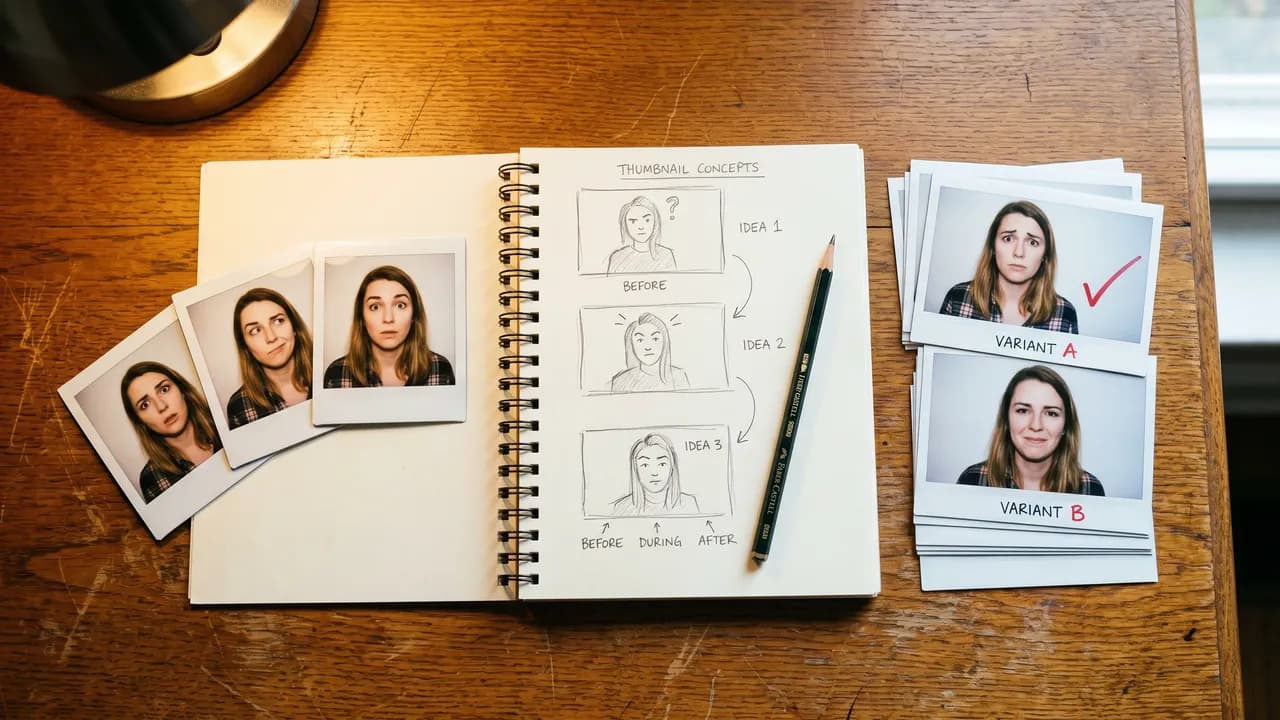

Top-down still life on a vintage wooden desk: open spiral notebook with a sketched three-panel thumbnail layout, pencil, polaroids of three faces with different eyebrow expressions, and a small stack of A/B variant prints with a red checkmark on the winner.

Best for thumbnails

What to use when a wrong face in the thumbnail costs the click

  • Nano Banana Pro logo
  • Nano Banana 2 logo
  • Flux 2 Pro logo
  • M

Nano Banana Pro · Nano Banana 2 · Flux 2 Pro · Magnific

Nano Banana Pro for the final hero shot, Nano Banana 2 for fast iteration rounds, Flux 2 Pro for batch A/B variants, and Magnific for 4K+ deliveries on YouTube. Budget $30 to $80 a month for a 3-thumbnails-a-week cadence.

Budget: $30 to $80 per month for a 3-thumbnails-a-week cadence. The $30 Nano Banana-only path covers the iteration-to-final loop; add Magnific credits for 4K+ YouTube hero crops.

Thumbnails are the wedge where legible text matters more than photorealism. A model that produces a beautiful face with the wrong eyebrow shape or a melted letterform in the title kills click-through. The stack below is calibrated for a creator shipping three to five thumbnails a week on YouTube or short-form, with a budget that has to justify itself inside a month.

Free with sign-in. Multi-step playbook for running 20 to 30 Flux 2 Pro variants in one session, with a scoring rubric for the A/B winner.

Get the thumbnail batching workflow

Stage 1

Iteration rounds and A/B variants

Land on a composition before you commit to a final pass. Use Nano Banana 2 for fast first drafts and Flux 2 Pro for cheap batch variants. Skip Midjourney here; multi-word thumbnail copy falls apart in v8.1.

Models

  1. 01

    Nano Banana 2

    Google

    Faster and cheaper than Pro. Web-grounded so it pulls in specific logos, landmarks, and trending visual references without a second pass. Use it to find the composition, then rerun the winner in Pro for the final.

  2. 02

    Flux 2 Pro

    Black Forest Labs

    The batch engine. Per-image pricing is low enough to generate 20 to 30 face-or-composition swaps in a single session and pick the layout with the highest predicted CTR. Worth the per-call cost when you have a real channel to A/B against.

  3. 03

    Midjourney v8.1

    Midjourney

    Handles one-to-two word phrases at 2K reliably. Anything past that (a four-word hook, a product label, a sponsor logo) falls apart. Useful for concept sketches when the title is short, wrong tool the moment the title gets longer.

Stage 2

Final hero pass

The image that actually goes on the thumbnail. Nano Banana Pro for legible text and clean facial geometry, then a one-pass Magnific upscale for 4K+ deliveries.

Tools

  1. 01

    Nano Banana Pro

    Most reliable model for on-image typography in 2026. Preserves eyebrow shape, jewelry, small product labels. Use this for the final hero pass, not for iteration rounds.

Stage 3

4K upscale for YouTube hero crops

When the thumbnail will be cropped to a side rail, scaled to 4K, or projected on a TV, one Magnific Precision pass on top of the Pro output is the difference between a sharp delivery and a soft one.

Tools

  1. 01

    Magnific Precision

    One pass after the final Pro output. Sharper than Topaz on facial detail and small text. Costs Magnific credits; use it only on the final, not on iteration rounds. Topaz Gigapixel is a valid fallback if you already have a license.

Technique

The three-word prompt and the eyebrow check

Two patterns that pay off more than any model upgrade. First, the three-word prompt: the title on a thumbnail has to read in 0.4 seconds. If the title is "I was wrong about AI", every word in the prompt other than the face and the emotional read is noise. Strip the prompt to "man, late 30s, raised eyebrow, soft front light, 35mm portrait" and let the model fill the rest. Second, the eyebrow check: AI melts eyebrows at 4K, especially on darker skin tones and on faces with strong directional light. Run a one-second inspection on the final Pro output; if the eyebrow is fused to the eye socket, regenerate with a sharper reference photo or a different model.

What I would skip, and why

  • Midjourney for multi-word thumbnail copy

    v8.1 (April 2026) handles one-to-two word phrases at 2K reliably, so it is usable for simple overlays. But for multi-word thumbnail copy, product labels, or sponsor logos, Nano Banana Pro wins by a large margin. The melted letterforms cost more in click-through than the time saved on the iteration round.

  • Flora for the final hero pass

    Cheap and fast for mood-boarding, but the final pass loses facial detail at 2K. Use it for the concept round if you want to save Nano Banana 2 credits, not for the thumbnail that ships.

Free this month for this use case

  • HTML/CSS thumbnails, no AI image needed

    For text-heavy thumbnails with no person in frame, the paper-carousel and design-html Scopeful skills generate polished layouts in pure HTML/CSS instantly. If you have a real photo of yourself, just composite it in afterward.

FAQ

Frequently asked about best for thumbnails

What is the cheapest AI stack for thumbnails in 2026?
Nano Banana 2 for iteration rounds and Nano Banana Pro for the final, both rented via the Google AI SDK with no monthly subscription. Add $30 to $50 in Magnific credits for 4K+ YouTube hero crops and you have a complete thumbnail pipeline for under $60/month. Flux 2 Pro is the optional batch engine on top.
Is Midjourney good for YouTube thumbnails?
For concept art and short titles, yes. Midjourney v8.1 (April 2026) handles one-to-two word phrases at 2K reliably, so it works for simple overlay thumbnails. The moment the title gets past two words, or the thumbnail needs a specific face with sharp eyebrows, Nano Banana Pro is the better pick. Use Midjourney for mood-boards, use Pro for the final.
Nano Banana Pro vs Flux 2 Pro for thumbnails?
Nano Banana Pro wins on legible text and clean facial geometry. Flux 2 Pro wins on batch A/B variants and per-image cost. The right answer for most creators is both: Pro for the final, Flux 2 for the 20 to 30 variants that lead up to it.
Do I need Magnific for a 2K thumbnail?
No. Nano Banana Pro outputs 2K cleanly and that is enough for a standard YouTube thumbnail. The Magnific pass only earns its keep when the thumbnail will be projected on a TV, cropped to a side rail, or scaled to 4K. For 90% of creators, the Pro output is the deliverable.
How do I keep my own face in AI-generated thumbnails?
Upload a clean reference photo of your face to Nano Banana Pro with a short instruction ("use this face, late 30s, raised eyebrow, soft front light"). Pro handles face preservation better than most models in 2026. For a fallback, Runway Gen-4's character-reference mode holds a face across multiple clips and stills.
What is the right resolution for a YouTube thumbnail?
1280x720 is the YouTube spec. Nano Banana Pro outputs at 2K by default, which gives you room to crop for the side rail and the TV projection. A single Magnific Precision pass on top of the Pro output gets you to 4K if the channel projects on TVs.

Other archetypes