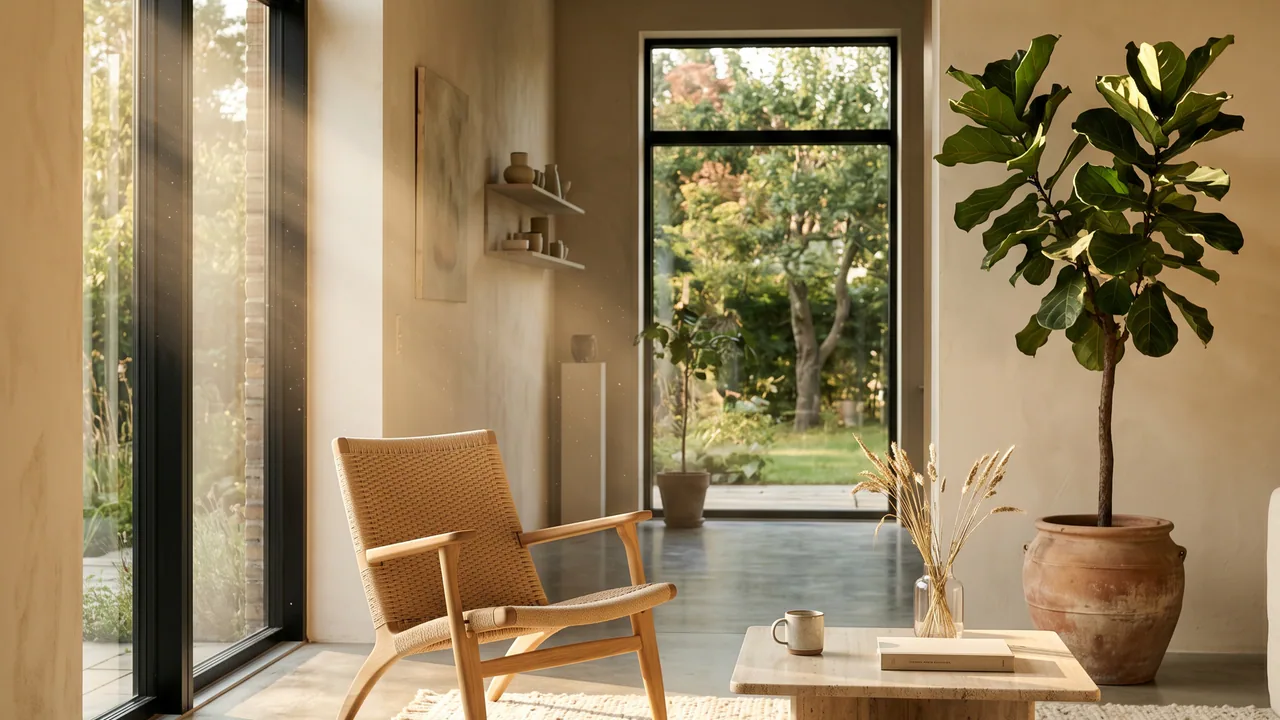
Photoreal interior render of a Scandinavian living room, warm afternoon light through tall windows, oak armchair, raw lime-plaster walls.

Best for archviz artists

What to use when a slightly wrong shadow ruins the render

  • ComfyUI Cloud logo
  • Magnific logo
  • Flora logo
  • Kling logo
  • Nano Banana Pro logo
  • T

ComfyUI Cloud · Magnific · Flora · Kling · Nano Banana Pro · Topaz Labs

A three-stage pipeline: build the reference in Midjourney or Reve 2.0, generate the final 4K hero in Nano Banana Pro or Reve 2.0, and finish with Magnific Precision for fidelity or Magnific Creative for restoration. A $50/month Magnific subscription covers a 3ds Max + Corona workflow on its own.

Budget: $50 to $250 per month depending on render volume. The $50 Magnific-only path covers a 3ds Max + Corona workflow on its own.

Archviz is the niche the generic AI directories miss. You need photoreal output with controllable lighting, materials, and composition. Most AI tools treat every prompt as "imagine a scene" rather than "render this specific geometry with this specific light direction." The stack below is what I use for client archviz work in 2026, priced at real monthly cost for a freelancer doing ~400 renders a month.

Free with sign-in. Multi-step playbook for restoring broken vegetation in archviz renders, with a video walkthrough.

Get the SketchUp bridge workflow

Stage 1

Reference creation

Build the mood, palette, and composition before any model touches your geometry. Concept art, material studies, lighting tests.

Tools

  1. 01

    Midjourney

    It rearranges geometry you need to keep static. Great for concept art, wrong tool for final archviz. Use it for client mood-boards and material studies, not for the deliverable.

Models

  1. 01

    Reve 2.0

    Reve AI

    Better edge awareness than most models thanks to the new layering system. Good fallback when Midjourney's geometry-shuffling becomes a problem on hero compositions.

Stage 2

3D-to-image and generation

Where the actual render lives. Use 3ds Max + Corona for the geometry truth, then AI to push it photoreal, restyle it, or generate a hero shot from a SketchUp reference.

Tools

  1. 01

    Magnific

    Old-school Magnific / Freepik is the simplest path. One subscription covers upscaling, restyling, and the Magnific list node inside ComfyUI.

  2. 02

    Flora

    Cheaper per-render than Magnific for high-volume iteration. Use it for client-presentation alternates you do not need to final-deliver.

Models

  1. 01

    Nano Banana Pro

    Google

    Best for 3D-to-image when the goal is to keep the source geometry intact. Sketches, SketchUp screenshots, and reference photos all hold up under it.

  2. 02

    Reve 2.0

    Reve AI

    Not bad with the new layering system. Edges and material transitions are cleaner than the previous generation, and lossless editing means iterating a room layout does not accumulate artifacts.

Before / after

Nano Banana Pro — 3ds Max to photoreal
Photoreal interior render of the same Scandinavian living room after Nano Banana Pro 3D-to-image treatment. Warm afternoon light, refined materials, depth of field.BeforeAfter

Nano Banana Pro, 1K source render, 4K final. Geometry kept static across the entire pass.

Reve 2.0 — 3D-to-image with layer preservation
Same modern kitchen after Reve 2.0 generation. Edges preserved, materials refined, atmospheric lighting added.BeforeAfter

Reve 2.0, source render at 1K, target at 4K. Edges and material boundaries stay sharp.

Stage 3

Post-production and upscaling

Final delivery. Fidelity is the priority here. Pick the right upscaler for the job: precision for technical realism, creative for restoration and re-imagination, Topaz when budget is the constraint.

Tools

  1. 01

    Magnific Precision

    The default pick for client deliverables. Sharper than Topaz on architectural detail, material continuity, and texture recovery. Costs Magnific credits.

  2. 02

    Magnific Creative

    Use for restoration work — broken vegetation, AI artifacts from a previous pass, low-resolution hero shots that need creative reinterpretation. Lower fidelity than Precision, more interpretive.

  3. 03

    Topaz Gigapixel

    Valid alternative when you do not want to spend Magnific credits. Slightly sharper on fabric and skin texture. Subscription-only since September 2025 (no perpetual license): Gigapixel is $149/year, Photo AI bundle $199/year. Editorial mention only — not in the tools table.

Before / after

Magnific Precision — 1K to 4K fidelity
4K hero render of the same stone facade after Magnific Precision upscale. Stonework, mortar lines, and weathering all resolved cleanly.BeforeAfter

Magnific Precision, 1K source, 4K target. Default for client deliverable.

Magnific Creative — broken vegetation restoration
Same courtyard after Magnific Creative restoration. The tree is fully rebuilt, branch structure reads naturally, and the rest of the frame is unchanged.BeforeAfter

Magnific Creative, restoration pass. Use for broken vegetation, AI artifact cleanup, and creative reinterpretation.

Stage 4

Image-to-video walkthroughs

A short walkthrough clip sells a project faster than any still. Two model families to know: Kling and Seedance. Pick Kling 3.0 for subject consistency and native audio; pick Seedance for raw UGC-quality motion and natural audio, and write your character in text rather than uploading a real-person reference.

Models

  1. 01

    Kling 3.0

    Kuaishou

    Kling 3.0 (Feb 2026) leads on subject consistency and native audio. Up to 15 seconds per clip, multi-shot narratives in one generation. Pro plan $25.99/mo, Premier $64.99/mo.

  2. 02

    Seedance

    ByteDance

    Beats Kling on raw UGC quality in side-by-side tests. Smoother motion, more natural audio. Caveat: it will not animate a reference photo of a real person, so describe your character in text rather than uploading a face.

Cost breakdown

Starting monthly prices for the recommended stack.

Chart slot reserved. The right visualization for this data is still being chosen — this block is invisible in production but visible to the editor while the data shape is decided.

Technique

Two-brain prompting and the red-mask edit

Two patterns that pay off in archviz more than any model upgrade. First, the prompt-writer-in-the-middle: feed a plain description of the room to a second LLM, ask it to expand into a structured prompt with lighting, material, and camera terms, then send that into the image model. The structured output cuts prompt-iteration time in half. Second, the red-mask edit-instruct: when you need to change one object in a generated render, mask the area in red and pass a short instruction ("replace the chair with a leather club chair, keep the rest of the room"). Most archviz-credible models now respect the red mask and leave the rest of the frame untouched.

What I would skip, and why

  • Midjourney for final archviz

    It rearranges geometry you need to keep static. Great for concept art, wrong tool for the deliverable. Use it for client mood-boards, not for the 4K hero.

FAQ

Frequently asked about best for archviz artists

What is the cheapest AI stack for archviz in 2026?
A $50/month Magnific subscription plus ComfyUI local (free after one-time setup) covers about 80% of an archviz workload. Add $10 to $20 in fal.ai credits for the occasional Nano Banana Pro or Flux 2 Pro run, and you have a complete freelance pipeline for under $80/month.
Can I keep my 3ds Max or Corona geometry when using AI?
Yes. The recommended path is a 3D-to-image pass with Nano Banana Pro: render your scene at 1K from 3ds Max or Corona, send the result into Nano Banana Pro with a structured prompt, and let the model push the photoreal details. Geometry stays static. Reve 2.0 is a solid fallback with cleaner edge preservation.
Midjourney v8.1 vs Reve 2.0 for archviz concept art?
Midjourney v8.1 (April 2026) is still the fastest way to build a client mood-board. Reve 2.0 is the better choice when you need edge awareness and material transitions to read correctly. For pure concept work, use Midjourney. For anything that will become a deliverable, use Reve 2.0 or Nano Banana Pro.
Should I pay for Magnific or Topaz Gigapixel?
Magnific Precision wins on architectural detail. Topaz Gigapixel is a valid alternative when you do not want to spend Magnific credits or already have a Topaz license. For restoration work — broken vegetation, AI artifact cleanup, creative reinterpretation — Magnific Creative is in a different league. Topaz has no creative-upscale mode.
What is the best image-to-video model for archviz walkthroughs?
Kling 3.0 for subject consistency and native audio. Up to 15 seconds per clip, multi-shot narratives in one generation. Seedance for raw UGC-quality motion and smoother audio. Pick Kling 3.0 when the walkthrough is a client deliverable, pick Seedance when you want the most natural-looking motion and can describe the character in text rather than uploading a reference photo.
Do I need a SketchUp-specific workflow?
If you are doing archviz in SketchUp, yes. The SketchUp bridge workflow is a free, sign-in-gated playbook for taking a low-fidelity SketchUp model and pushing it into a photoreal render without losing the geometry. It covers the masking, the model choice, and the upscaler pick for vegetation and material restoration.
Is ComfyUI Cloud worth the per-second pricing?
Yes, once you are running nightly batches. Below ~2,000 renders per month, the per-call API routes (fal.ai, Replicate, BFL direct) are cheaper. Above that, ComfyUI Cloud on per-second GPUs is the most transparent cost in the space. Set it up once with a custom graph and the per-second bill is the only number you track.
How do I write better prompts for archviz image editing?
Use a prompt-writer in the middle. Feed a plain description of the room to a second LLM, ask it to expand into a structured prompt with lighting, material, and camera terms, then send that into the image model. For targeted edits, mark the region to change in red and pass a short instruction ("replace the chair with a leather club chair, keep the rest of the room"). Most archviz-credible models respect the red mask and leave the rest of the frame untouched.
Other archetypes